The most usable submission intake automation tools in 2026 are Checkbox, Ironclad, LawVu, ServiceNow Legal Service Delivery, and Streamline AI. Each earns its place through a different balance of native channel access, no-code configuration, and downstream data flow. This guide compares all five across the three usability dimensions that predict whether business users will actually adopt the tool or route around it.
What Are Submission Intake Automation Tools?
A submission intake automation tool is a type of legal technology that captures, structures, and routes incoming legal requests from the business to involved stakeholders or processes. They replace ad hoc channels like email, direct messages, and meetings with a consistent system that captures structured data at the point of entry.
A well-configured legal intake tool answers three questions automatically for every request:
- Who submitted it and what do they need?
- Which category, priority, and matter type does it belong to?
- Which lawyer, workflow, or downstream system should handle it?
Legal intake sits at the top of the legal operating stack. Everything downstream (contract lifecycle management, matter management, workflow automation, analytics) depends on the quality of the data intake produces.
Why Usability Matters for Intake Automation Tools
Usability is the single strongest predictor of ROI on a submission intake automation tool. If the tool is chosen mainly for a slick interface but is difficult for stakeholders to adopt in practice, the legal team remains stuck in the old way of working: lawyers still receive ad‑hoc emails and verbal requests, they still lack reliable visibility into the true volume and type of matters coming in, and they still cannot trust their own cycle-time and workload data.
In other words, without high adoption, even the most polished tool fails to centralize intake, standardize data capture, or create a single source of truth for legal requests. That dramatically limits process improvement, reporting accuracy, and ultimately the return on the investment.
3 Usability Dimensions That Predict Adoption
Vendor demos often focus on form completion rates and click paths. But those metrics overlook what really matters. In practice, three key dimensions determine whether a legal intake tool will actually be adopted and used.
Point-of-Request Usability
Usability at the point of request matters most. Tools that live directly inside Slack, Microsoft Teams, or email create the least friction and therefore see the highest adoption. In contrast, portal-based tools that require users to log in and switch contexts tend to lose out to informal channels, because business users naturally choose whatever takes the fewest steps.
Configuration Usability
Configuration usability measures how easily legal operations teams can update intake forms, routing rules, and triage logic on their own, without relying on the vendor or internal engineering. Because matter types, business units, and geographies constantly change, intake requirements are always evolving. If a tool requires a professional services engagement for every adjustment, it will usually become misaligned with the business and start losing relevance quickly after deployment.
Downstream Handoff Usability
Downstream handoff usability measures whether structured intake data flows cleanly into contract lifecycle management tools (CLM), matter management, workflow automation, and legal analytics dashboards without manual cleanup. The measurable outcome is whether one request can be traced end to end, from submission through resolution, without human data translation in between.
5 Best Submission Intake Automation Tools for Usability in 2026
1. Checkbox ⭐️
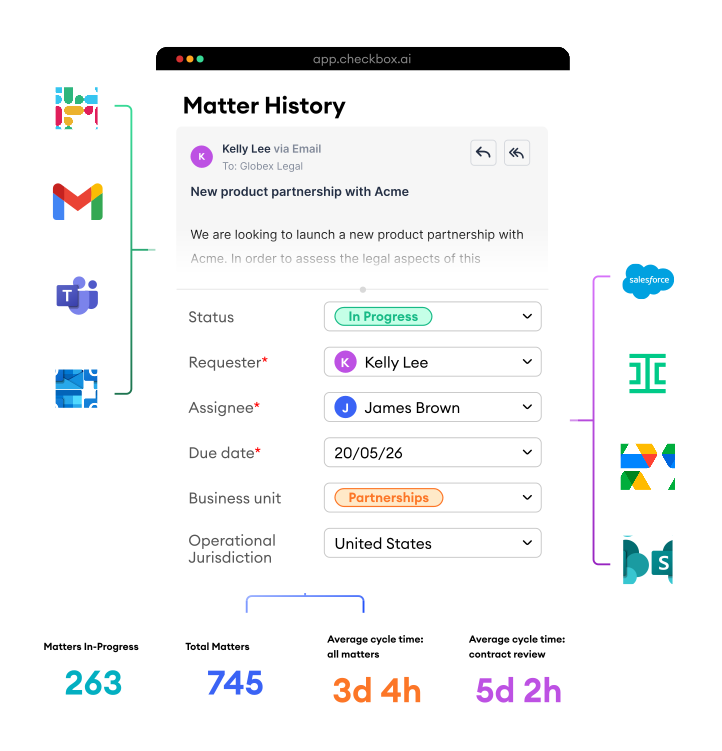
Checkbox is ranked best for usability as it offers a purpose-built AI Legal Front Door for in-house legal teams. It captures requests in Slack, Microsoft Teams, email, Salesforce, and configurable e-forms, then uses AI to triage, answer, or route each one. The platform combines intake with workflow automation and matter management on a single foundation, so structured data captured at submission carries through to resolution.
Key Features
- Native integration with communication channels and cross-departmental business tools
- AI-powered legal triage that answers, escalates, or routes each request
- No-code configuration owned by legal ops
- Integrated workflow automation and matter management
- Real-time reporting and analytics for key legal metrics
2. Ironclad
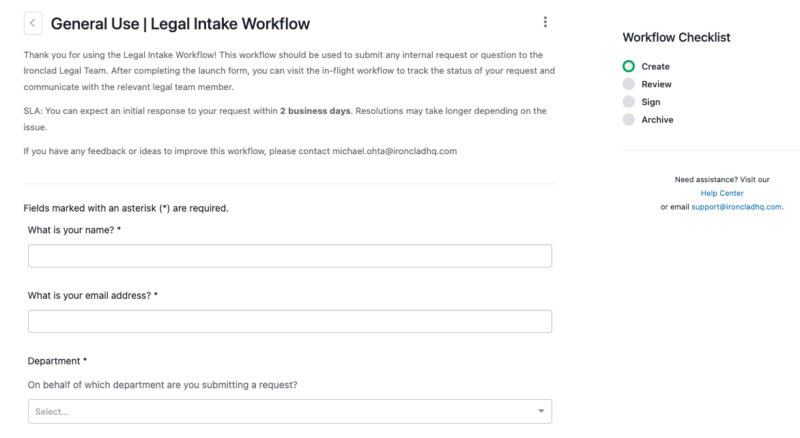
Ironclad is a CLM with intake capabilities built through its workflow designer. For contract requests such as NDAs, MSAs, and vendor agreements, the handoff from intake to contract execution is seamless within the platform. However, teams handling significant volumes of non-contract matters (litigation, employment, IP, compliance) typically pair Ironclad with a broader intake tool.
Key Features
- Simplified launch form for contract requests
- Routing based on request category and urgency
- Native contract execution and repository
- Two-step contract approval workflow
3. LawVu
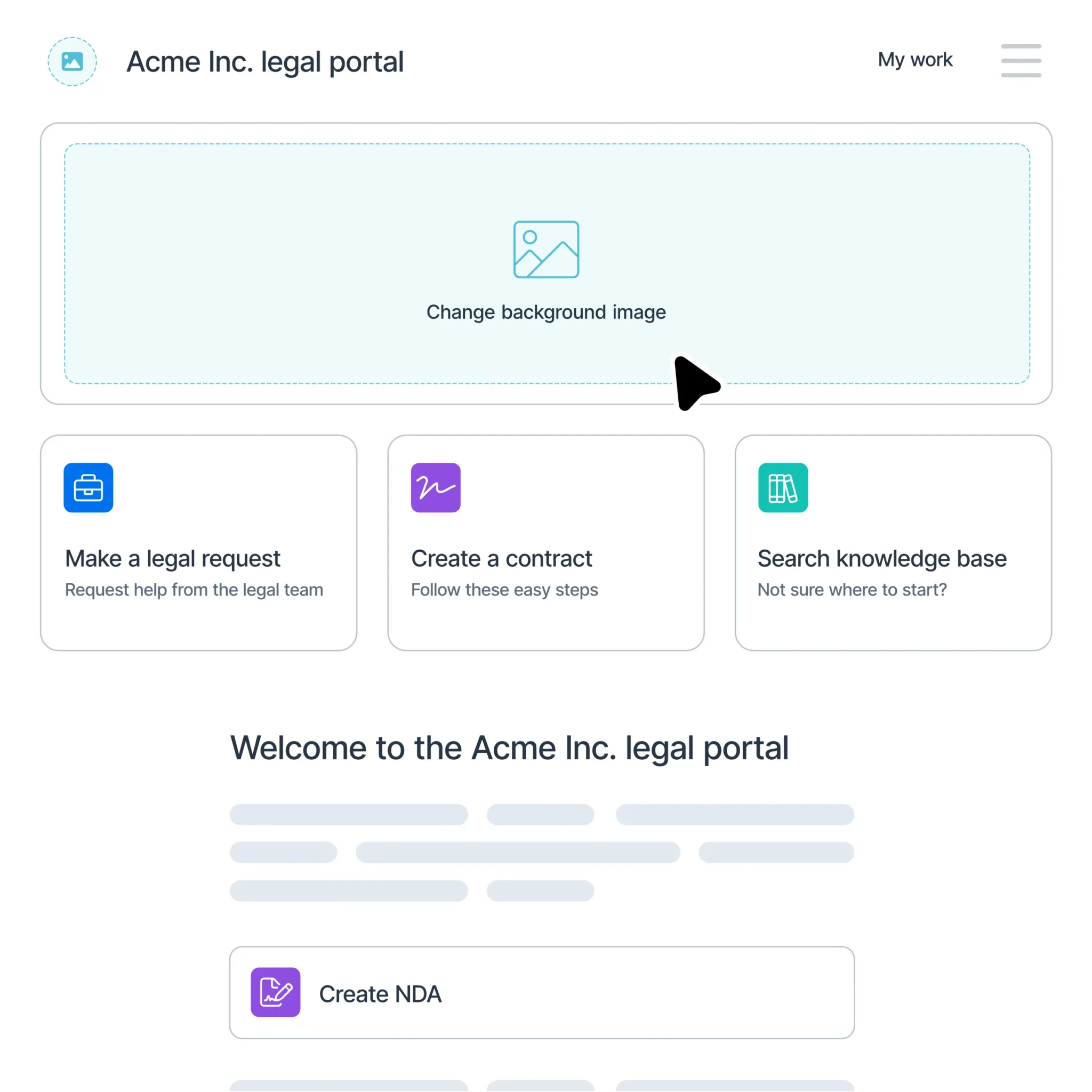
LawVu is a cloud-based legal workspace built around matter management, with intake included through its business portal, request forms, and integrations. Intake is tied to matter records, and the platform covers contract, spend, and reporting inside one suite. It’s important to note that downstream handoff is strongest inside the LawVu suite, so teams committed to external CLM or matter management systems may face heavier integration work.
Key Features
- Business portal for legal request submission
- Intake queue tied to matter records
- Unified LegalOS covering contract, spend, and reporting
4. ServiceNow Legal Service Delivery
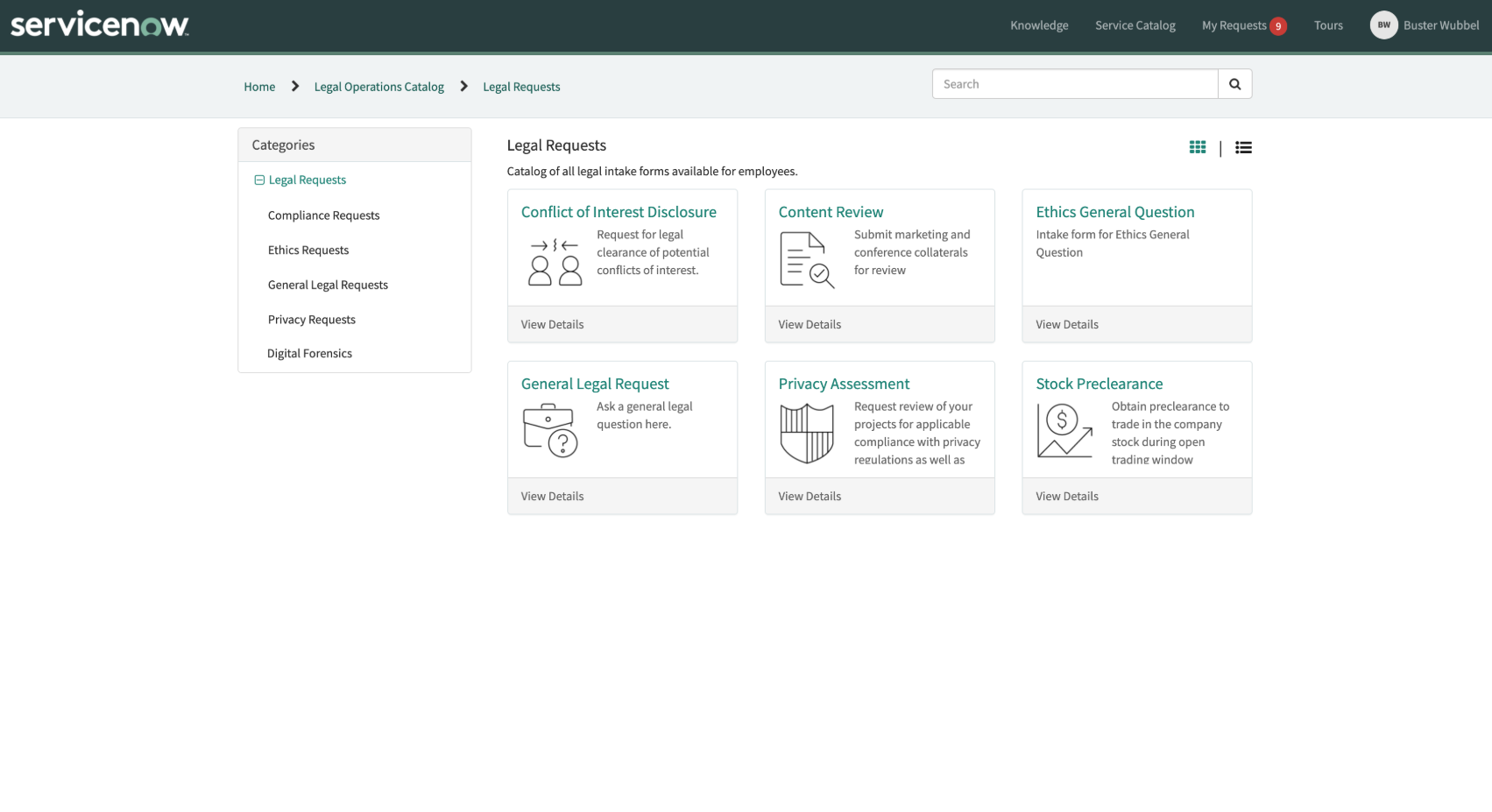
ServiceNow Legal Service Delivery (LSD) brings enterprise service delivery architecture to legal intake. Built on the ServiceNow AI Platform, employees submit requests through a self-service portal that sits alongside IT, HR, and other service delivery portals across the enterprise. This is best for large enterprises already standardized on ServiceNow that prioritize cross-functional workflow consistency and have IT resources to support implementation.
Key Features
- Self-service portal shared with IT, HR, and other functions
- Configurable case management and workflow automation
- Native integration with the broader ServiceNow enterprise platform
- Legal practice apps with pre-built workflows for common request types
5. Streamline AI
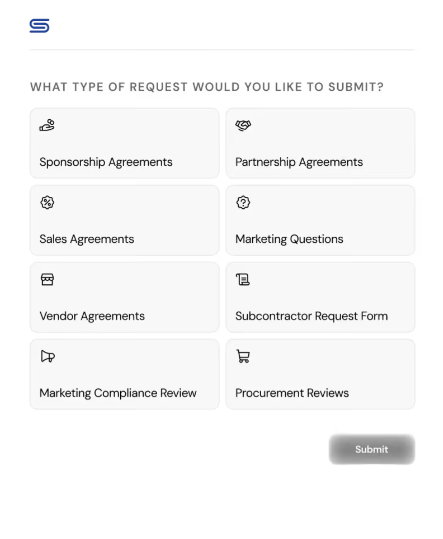
Streamline AI is a legal workflow platform that lets legal ops configure intake without engineering support. It integrates outward to CLMs to hand off contract-specific work while keeping non-contract intake inside Streamline. However, teams looking for a single unified platform covering intake through matter resolution may want to evaluate options with deeper downstream capabilities as matter management is not the platform’s core focus.
Key Features
- No-code workflow builder
- Pre-built integrations with Ironclad and Salesforce
- Request classification and routing
- Real-time metrics dashboard for legal ops
| Tool | Category | Main Point of Request |
|---|---|---|
| 1. Checkbox Top Pick 2026 | Legal Front Door / Intake Triage | Slack, Teams, Email, Salesforce |
| 2. Ironclad | CLM with Intake Features | Standardized Form |
| 3. LawVu | Matter Management with Intake | Business Portal / Intranet |
| 4. ServiceNow LSD | Enterprise Service Delivery | Self-Service Portal |
| 5. Streamline AI | Intake Triage | Forms / Comms Channels |
Overall, Checkbox stands out as the most usable submission intake automation tool for legal teams because it combines a no‑code, adoption‑first legal front door with AI‑powered, multi‑channel legal intake (Slack, Teams, email, forms) that triages and routes requests automatically, so business users get fast self‑service while lawyers gain a single source of truth without relying on IT or complex portals.
How to Evaluate Submission Intake Automation Tools
Use these three practical tests to help identify and clarify the dimensions that predict adoption during vendor demos:
- Native Channel Demo → Ask the vendor to demo a request that starts in Slack or Teams. If they can’t show that process, or if it looks like an awkward add-on rather than a native experience, treat that as a negative in your evaluation.
- Live Configuration Change → Ask the rep to show a configuration update in real time (for example, adding a routing rule, editing a form field, or changing a triage condition). Then confirm who in your organization would be responsible for making this type of change in production.
- End-to-End Request Trace → Follow one request from submission through to whatever downstream system it should populate. Inspect the data at the other end for structure, tags, and queryability.
Key Takeaways
The five most usable submission intake automation tools in 2026 are Checkbox, Ironclad, LawVu, ServiceNow Legal Service Delivery, and Streamline AI. Usability in legal intake automation is measured by whether requests actually reach the system, since form completion metrics miss the deeper adoption question.
Three dimensions determine that outcome are point of request, configuration ease, and downstream handoff. Native intake platforms tend to lead on point-of-request usability, while matter management and CLM platforms lead on downstream handoff within their own suites, and the right fit depends on the surrounding stack and the operating model a legal team wants to build.
Of the five options compared, Checkbox stands out as the most usable submission intake automation tool because it combines a no-code, adoption-first legal front door with AI-powered, multi-channel intake that triages and routes requests automatically. Business users get fast self-service inside familiar communication channels, while lawyers gain a single source of truth for every matter without relying on IT or complex portals.
Want to learn more? Schedule a call with one of our technology consultants to see how the legal front door meets business users where they already work.
Frequently Asked Questions
What is submission intake automation in legal?
Submission intake automation captures, structures, and routes incoming legal requests from the business to the right stakeholder or process. It replaces ad hoc channels like email and hallway conversations with a consistent system that produces structured data at the point of entry.
What are the best submission intake automation tools in 2026?
The five most usable submission intake automation tools in 2026 are Checkbox, Ironclad, LawVu, ServiceNow Legal Service Delivery, and Streamline AI. The best fit depends on your existing legal tech stack and operating model.
What makes a submission intake tool usable for business users?
The strongest usability signal is whether business users can submit requests inside the channels they already work in, such as Slack, Microsoft Teams, or email. Tools that require a separate portal introduce friction that pushes requests back to informal channels.
How should legal ops evaluate submission intake automation tools?
Evaluate on three dimensions: where a request can originate, whether configuration changes require engineering support, and whether structured data hands off cleanly to downstream systems. Test each with a live example rather than a scripted demo path.
Why do intake automation tools fail to get adopted?
Adoption typically fails when the tool adds friction to the requester’s existing workflow, not because the form itself is hard to fill out. If business users have to switch context, log in, and re-type information they’ve already shared elsewhere, they route around the tool.
What is the difference between legal intake software and matter management?
Intake software is the structured entry point between the business and legal, capturing requests and routing them appropriately. Matter management sits downstream of intake and handles execution, tracking, and completion once the request has been triaged.
Book a Demo
See the New Era of Intake, Ticketing and Reporting in Action.
× Get a Demo