01 / Self-service workflows
Complete a guided workflow.
Give people guided workflows for specific use cases, using the steps and templates Legal has approved.
Example request“Create an NDA for a new partner.”→ Guided NDA workflow

The legal front door
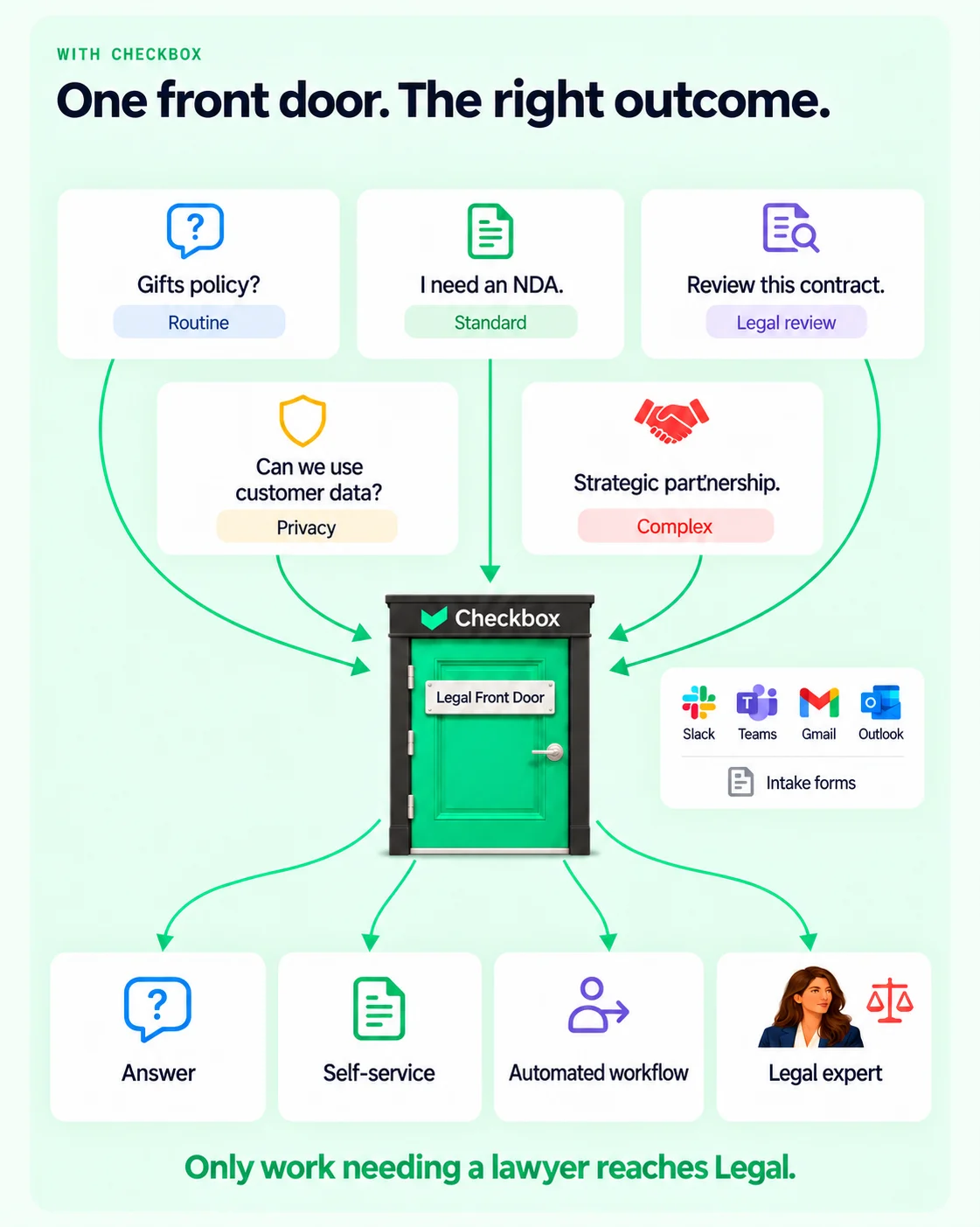
Checkbox guides people to the right answer, workflow or legal expert without everything landing on Legal.
Book a demo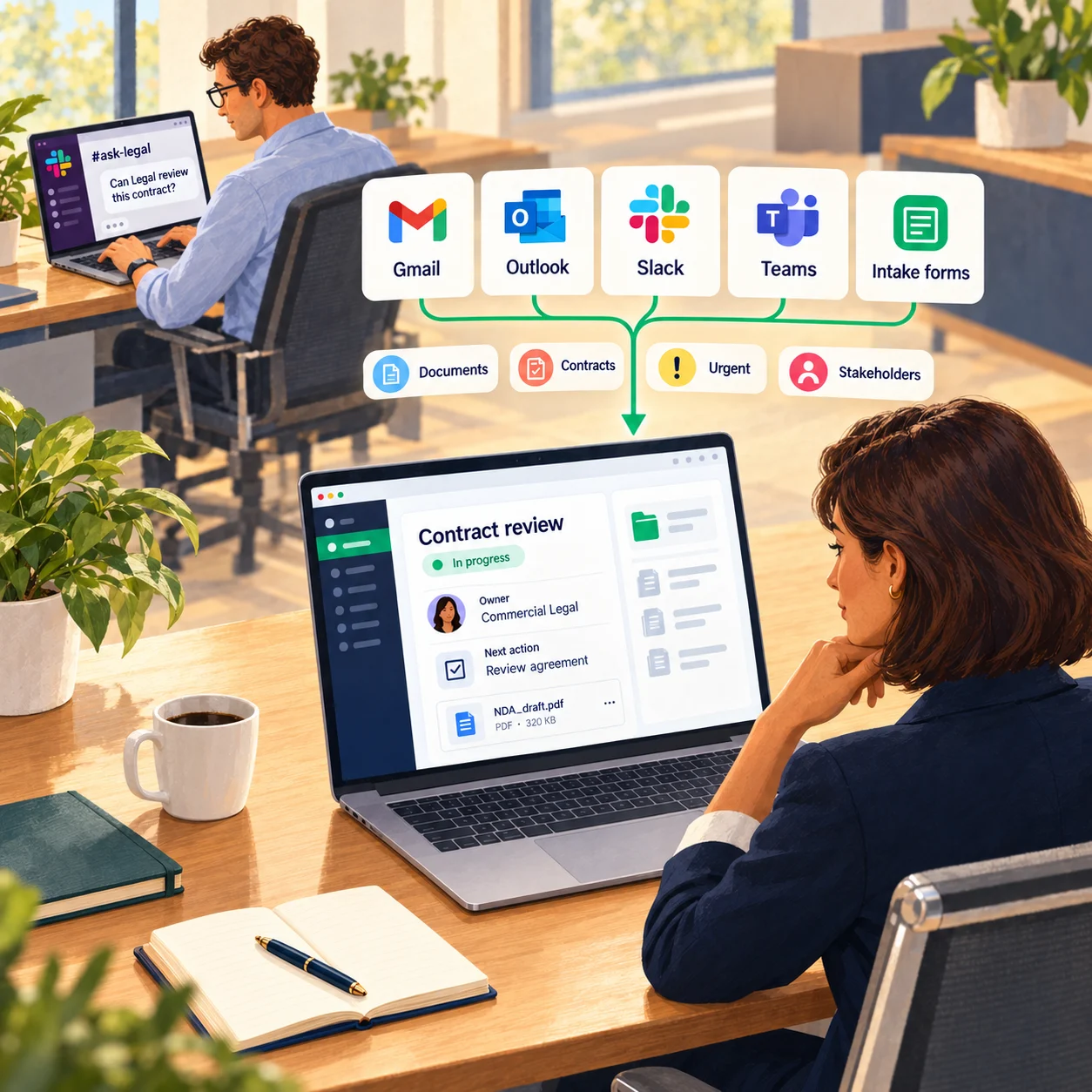





Without a Legal Front Door
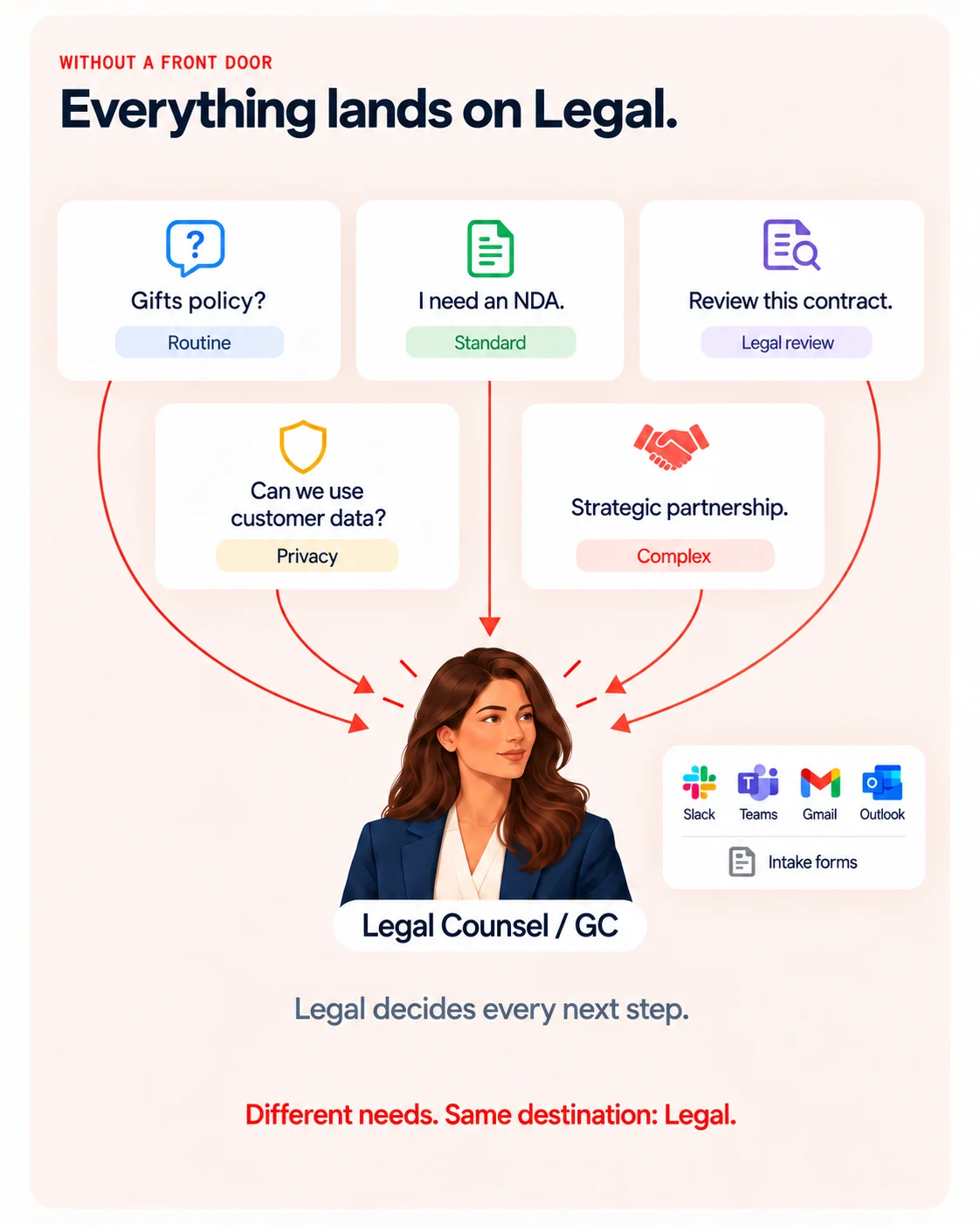
Policy questions, NDAs, contract reviews and complex matters arrive through different channels, with different levels of urgency and complexity.
Without a front door to separate, route and resolve them, Legal becomes the human triage layer, deciding what needs an answer, what needs a workflow and what actually needs a lawyer.
Without a Legal Front Door
How it works
People can ask for legal help where they already work. Checkbox gives each request a consistent record, a defined next step and a view the team can share.
Where work begins
Select a channel to see an example request.
 The Legal Front DoorOne shared view
Capture the context once, apply the right routing rules and keep the next action visible.
 GlobexSlack
Slack intake example shown.
What Legal gains
One view of demandSee what has come in and what is still open.
Clearer prioritiesRoute work by the rules your team defines.
Consistent intakeKeep the details with the request.
Fewer status chasesMake ownership and progress easier to find.
Keep your existing ways of working. Add a clear path through Legal.
Illustrative paths. Channels and connections depend on configuration.Three paths, one front door
Legal defines when people can complete a guided workflow, get help from an AI chatbot or agent, or need a lawyer's judgment.
01 / Self-service workflows
Give people guided workflows for specific use cases, using the steps and templates Legal has approved.
02 / AI Chatbot / Agent
Answer policy questions from approved guidance and help people start the right workflow.
03 / Legal review
Give complex or sensitive matters an owner, the relevant context and a clear next action.
Beyond request capture
A front door does more than collect work. It carries context into triage, ownership, the next action and a shared view of what Legal is handling.
| What happens next | Collection alone | |
|---|---|---|
| Capture | A request lands in an inbox or ticket. | A request begins a connected matter record. |
| Context | Missing details may be chased later. | Guided questions gather details for the work type. |
| Triage | Someone sorts and forwards the request. | Configured rules can guide, route or escalate it. |
| Ownership | The owner and next action may sit elsewhere. | The owner and next step stay with the matter. |
| Progress | Requesters ask for status updates. | Progress can be shared from the same record. |
| Reporting | Activity is reconciled from separate records. | Requests and outcomes feed a shared reporting view. |
From in-house legal teams
See how in-house teams connect requests, document generation and approvals in Checkbox.

“Checkbox is without a doubt my favorite legal tech business partner.”
Jeannine MoranDirector of Legal Operations, Hitachi Digital
Original recording · Jeannine Moran
Their Checkbox story
Hitachi Digital built Hikari, a unified Legal Front Door for intake, triage, document generation, and compliance approvals.
Built for legal control
Legal defines who can see each matter, who approves and when counsel must step in. Routine steps move forward while sensitive decisions stay with the right people.
Explore security and trustSwipe to see all four
Review Checkbox's published SOC 2 Type II and ISO/IEC 27001:2022 evidence, with audited ISO/IEC 27017:2015 and ISO/IEC 27018:2019 compliance. Confirm the current scope against your own requirements.


Give contract reviews, NDAs, marketing approvals, employment questions and privacy requests the owners, steps and approvals each one needs.
See all use casesUse approved language and guided inputs to produce repeatable supplier and commercial documents, with legal review where needed.
Learn moreGenerate supplier agreements from approved templates and route them through the right review steps.
Learn moreManage NDAs from intake and generation through review and signing.
Learn moreCreate manufacturing agreements with guided inputs, approved language, and consistent routing.
Learn moreKeep supplier terms, product claims and procurement decisions moving through the review steps your team defines.
Learn moreSubmit marketing materials for legal review and route approvals.
Learn moreRoute contracts and related tasks to the right approvers.
Learn moreGuide procurement requests through approved policy checks and required approvals.
Learn moreGive business teams approved guidance and a clear path to counsel when a question needs judgment.
Learn moreGive employees answers to common legal policy questions from approved guidance.
Learn moreHelp employees find approved privacy guidance and escalate questions that need legal judgment.
Learn moreGive employees guided gifts and entertainment advice with a clear path to approval or escalation.
Learn moreBring incoming work into the right legal process, with a clear owner and next step.
Learn moreCapture security incidents, collect the right facts, and route them for legal assessment.
Learn moreCapture requests through forms, then triage and assign them.
Learn moreBring legal requests into one AI-assisted intake path and route them to the right team.
Learn moreGive counsel and legal operations one view of the request, owner, documents, status and next action.
Learn moreTrack legal requests and tasks from intake through resolution.
Learn moreGive the business a consistent way to submit, follow, and resolve legal requests.
Learn moreManage legal service requests with clear ownership, status, and supporting context.
Learn moreCollect the right facts and coordinate legal's part in supplier, privacy and incident assessments without replacing specialist review.
Learn moreCollect and assess conflict disclosures in one workflow.
Learn moreUse a security questionnaire to assess vendor risks and compliance.
Learn moreUse a guided template to assess and document a data breach.
Learn moreConfigure repeatable legal processes for intake, review and approvals without rebuilding each handoff by email.
Learn moreBuild and update workflows without writing code.
Learn moreUse AI inside governed legal workflows while keeping review and ownership visible.
Learn moreConnect people, systems, and data through automated legal workflows.
Learn more
Give every legal request the right next step.